
to leave a comment.
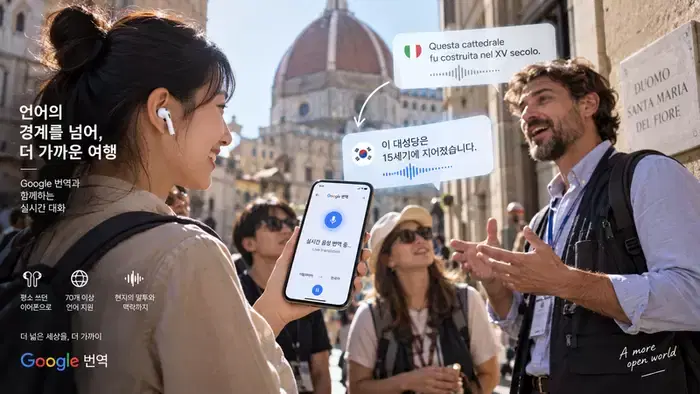
▲ Photo: AI-generated image
You can use your everyday earphones to listen to local explanations in Korean audio when traveling. This is done by connecting them to the Google Translate app on your smartphone. On September 15, Google unveiled the current status of its language AI technology applications, highlighting real-time voice translation and voice processing that reflects tone and context as key examples.
‘Gemini 3.5 Live Translate’, the underlying technology for this feature, was announced on June 9. At the time, Google stated that it would sequentially roll out a new voice translation model supporting over 70 languages to the Google Translate app on Android and iOS worldwide. A key feature is that it can utilize regular earphones or headphones connected to a smartphone.
According to Google, this model is designed to generate translated audio that preserves the speaker's intonation, speech speed, and pitch. This can be seen as an attempt to convey the atmosphere of the conversation along with the meaning of the sentences. However, these descriptions are functional characteristics presented by the company and do not guarantee the same accuracy in all noises and accents at a travel destination.
Currently, the official help guide provides instructions for real-time translation on Android, iPhone, and iPad, and includes Korean in the list of supported languages. Users can select ‘Live Translate’ in the latest version of the Google Translate app and set the language and mode to use.
Choosing a mode according to the usage scenario makes it easier to understand. For example, use ‘Listen’ mode when you need to continuously hear a guide's explanation, and ‘Conversation’ mode when exchanging questions and answers with staff at accommodation. There is also a ‘Text only’ mode to check content on the screen without playing audio. The official help guide states that on iPhone and iPad, the ‘Listen’ option is activated only when earphones or headphones are connected.
When traveling abroad, the communication environment should also be checked. According to the Android official help guide, offline real-time translation is currently limited to Pixel 9, 10, and 11 and certain language combinations. Korean is not included in the disclosed list. If you plan to use Korean interpretation, it is necessary to check in advance whether data connectivity can be secured locally.
Coinreaders suggests testing the feature with short questions you would actually use before departing. You can choose frequently asked questions during travel, such as checkout time, whether breakfast is included, or directions to the station. The method involves confirming that translated audio is heard from the earphones, then switching to conversation mode and practicing the process of conveying your questions to the other person.
The criteria for confirmation are to check both the naturalness of the voice and the accuracy of the content conveyed. For information that directly affects your schedule, such as reservation dates, number of people, fees, and place names, it is useful to compare what is displayed on the screen with your reservation details. If you miss the key points in a long explanation, you can also consider breaking down the question and asking again. For example, checking room rates and breakfast costs separately makes it easier to distinguish what the answer refers to.
AI interpretation expands the options for travelers to directly hear information and ask questions locally. Familiarizing yourself with the connection environment and usage modes before departure can reduce the effort spent finding app features at your destination. The experience of listening to a local's explanation and asking a follow-up question is a practical application of AI translation in everyday life.
Newsletter
Get key news delivered to your email every morning
to leave a comment.